Ansible
什么是Ansible
- IT自动化工具
- 依赖于现有的操作系统凭证来发个控制远程服务器
- 简单易用 安全可靠
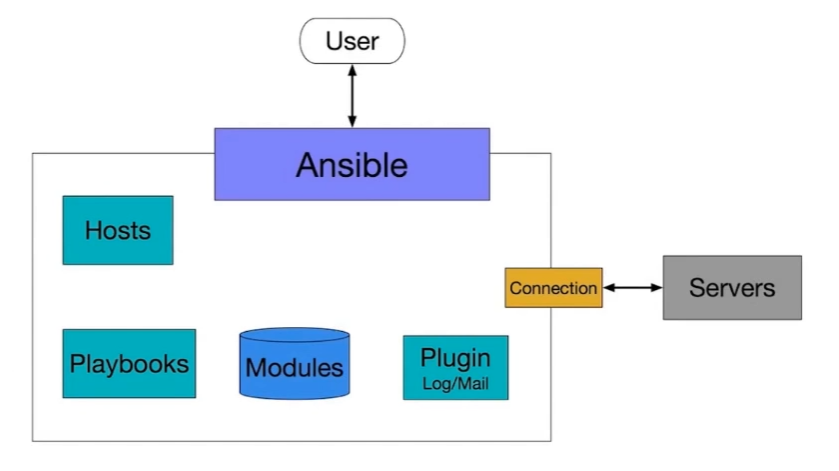
Ansible可以完成哪些任务
特点
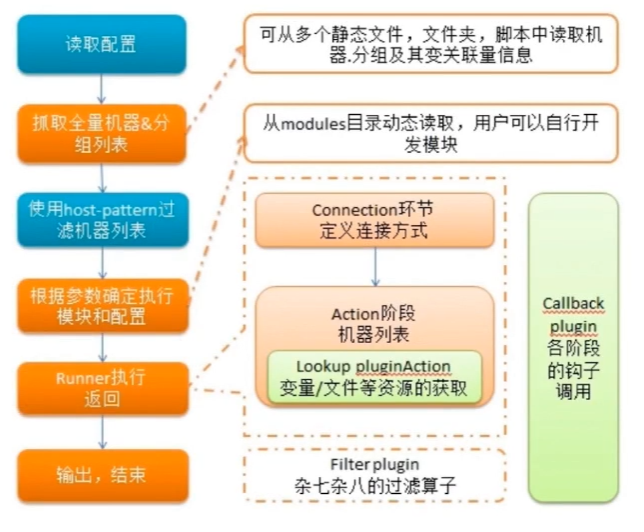
执行流程

安装配置
pip装(编译依赖的开发库可能出错)
sudo pip install ansible
软件源(可能有跨平台的问题):
- 配置Host连接主机:/etc/ansible/hosts(vim进入 :wq退出)
- 配置SSH
- 连通测试
- 运行命令:ansible 192.168.1.39 all -m ping –user=root
Ansible Ad-hoc
命令行工具 适用于业务快速变更(区别playbook)
所见即所得
Ansible help message
- 普通可选参数
- 链接目标主机相关参数
- 权限控制相关参数
1
2
3
4
5
6
7
8
|
列出目标主机目录
ansible test -m shell -a "ls /root" --user=root
目标主机登陆需要密码
ssh root@192.168.1.1
vim .ssh/authorized_keys
(#注释掉)
ssh登陆失败
ansible test -m shell -a "ls /root" --user=root --ask-pass
|
Ansible help
- -f并发
- -m 指定模块使用
- -i 改变默认行为
- 连接参数
Ansible Inventory
定义主机关系的文件
默认路径:/etc/ansible/hosts
文件内容格式位ini
Inventory主机组:
- 192.168.1.1
- 【组名】
- 192.168.1.2
- 192.168.1.3
Inventory主机别名
test ansible_ssh_port=22 ansible_ssh_host=192.168.1.1 annsible_ssh_user=root
也可以分组
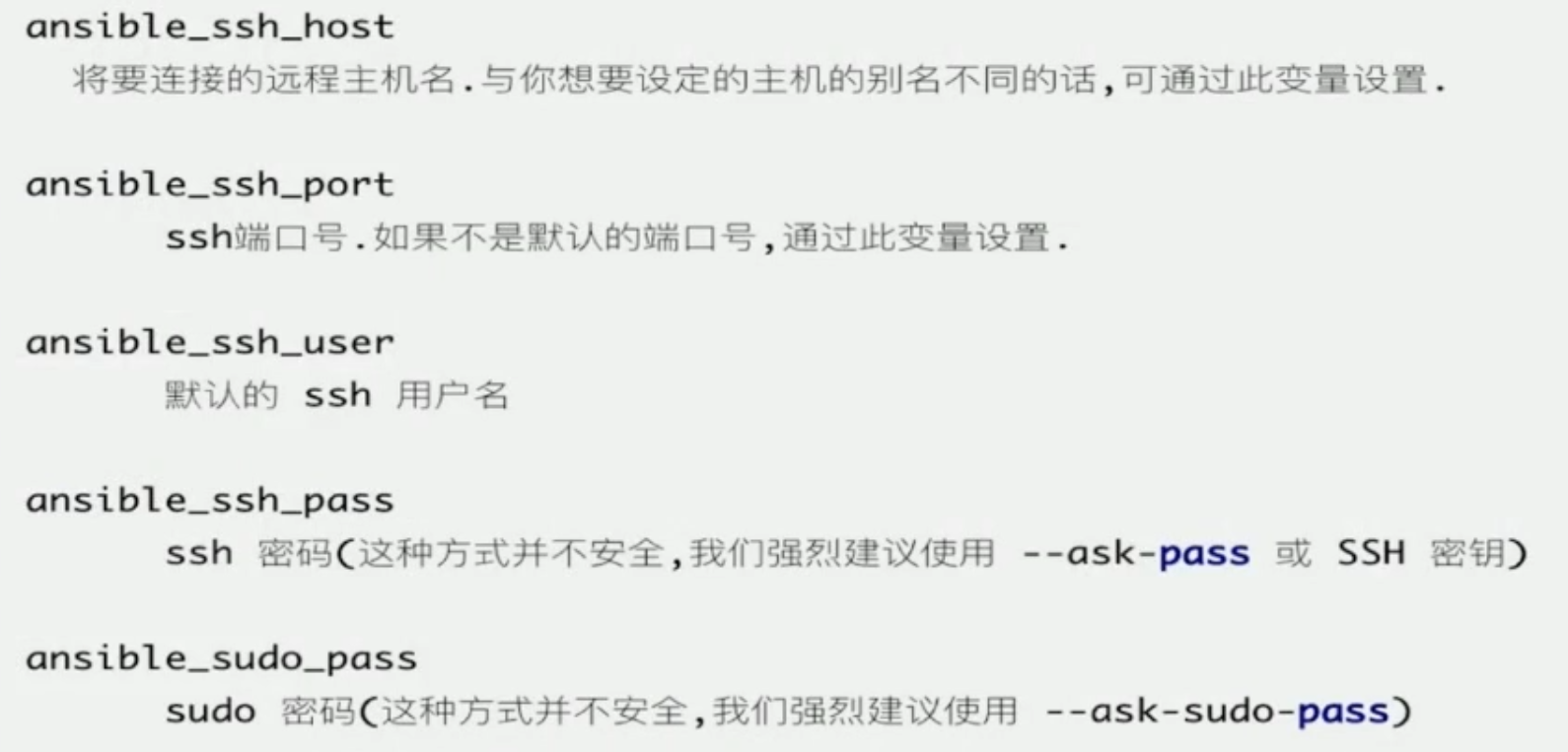
Inventory链接参数
Inventory批量主机组
【webservers】
www[01:50].example.com
[databases]
db-[a:f].example.com
Ansible基本使用实战
了解Ansible使用
了解Ansible模块查找使用方法
实战需求:
- 安装MySQL到测试机
- 管理测试机的MySQL服务
需要:
- 一条测试机器:client
- 配置好ansible环境:master
1
2
3
|
ansible test -m yum -a "name=mariadb-server state=latest"
ansible test -m systemd -a "name=mariadb state=stopped"
ansible test -m shell -a "ps -ef|grep mysql|grep -v grep"
|
什么是Ansible Playbook
功能列表:
与Adhoc关系
- Playbook是对Adhoc的编排
- Adhoc适合简单快速的任务
- Playbook适合做一些复杂的任务
支持的特性
Ansible Playbook使用入门
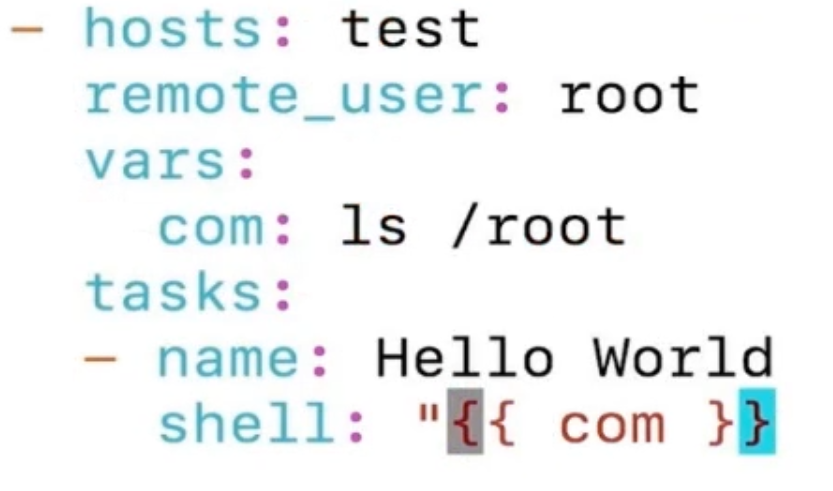
选定Host
指定登陆用户
使用Shell模块输出Hello World
1
2
3
4
5
6
7
|
hosts:test
remote_user: root
tasks:
- name: Hello World
	shell: ls /root

ansible-playbook test.yml
|
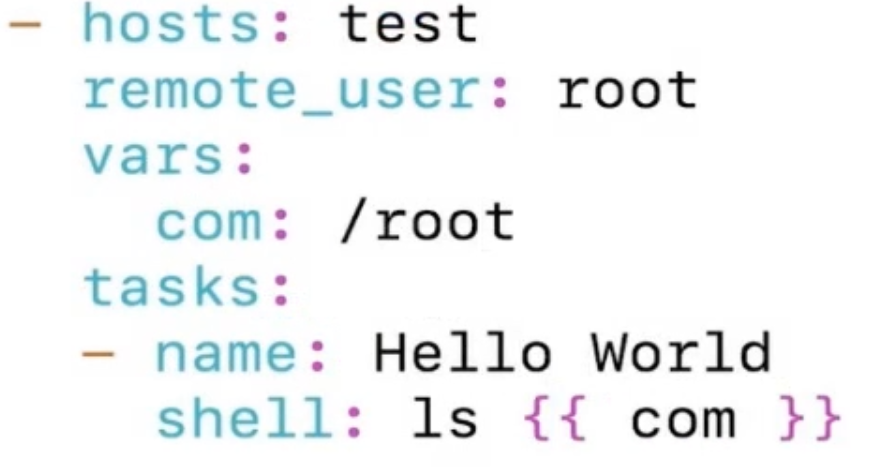
Playbook变量
变量位置
- Inventory
- Playbook(开头如果是大括号,就用双引号)
系统变量
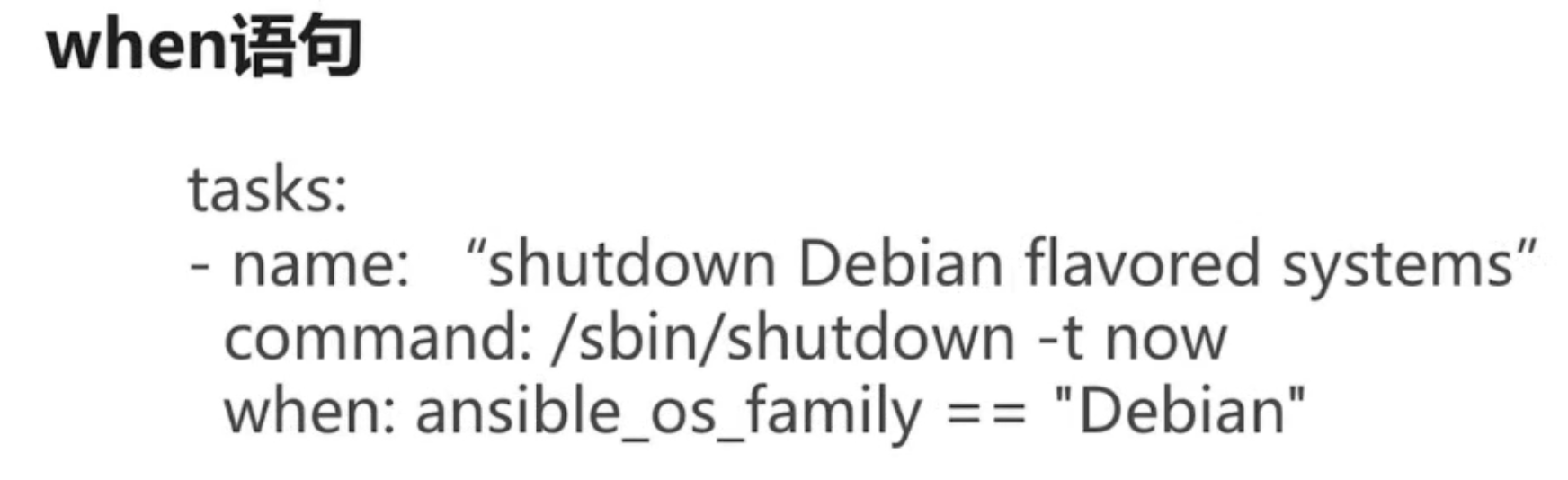
when语句
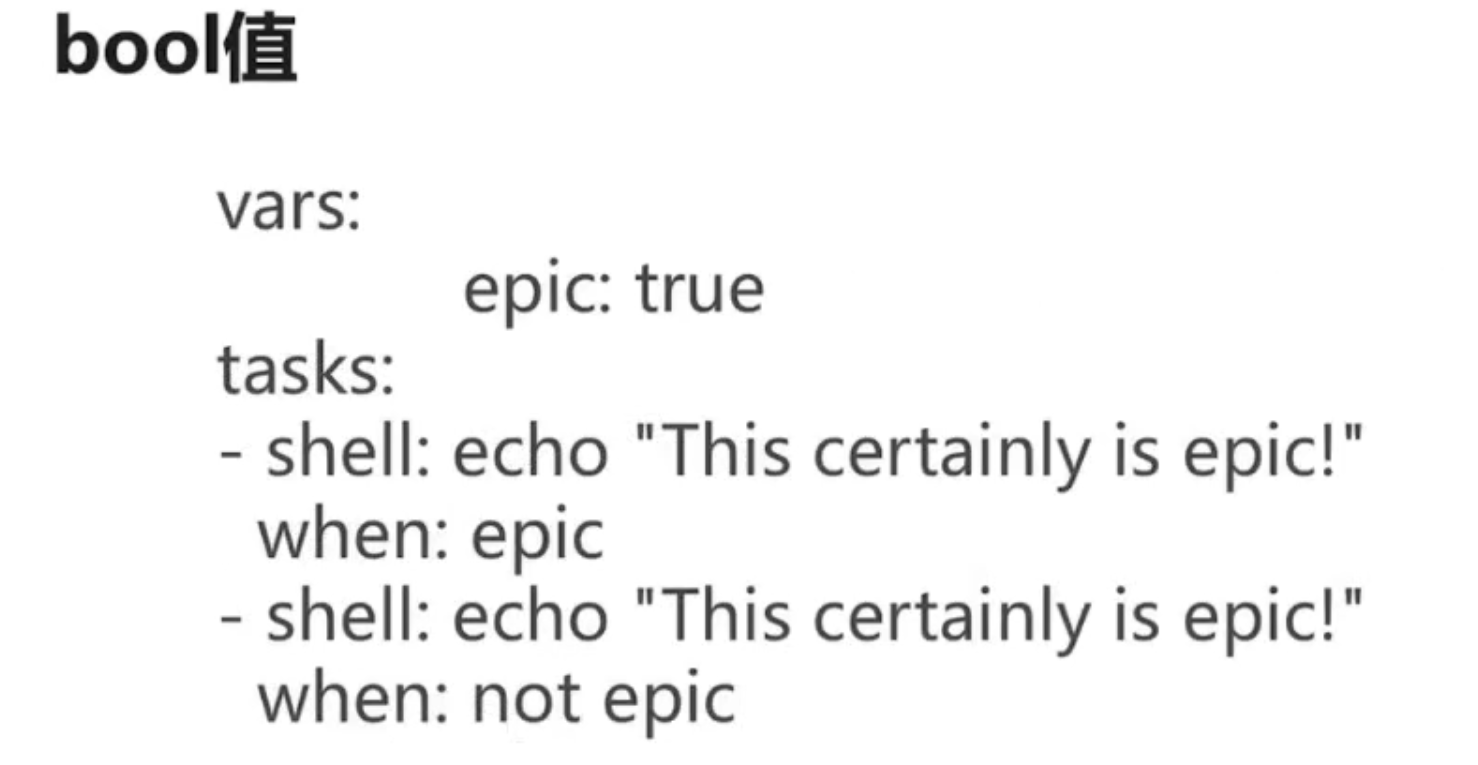
bool值
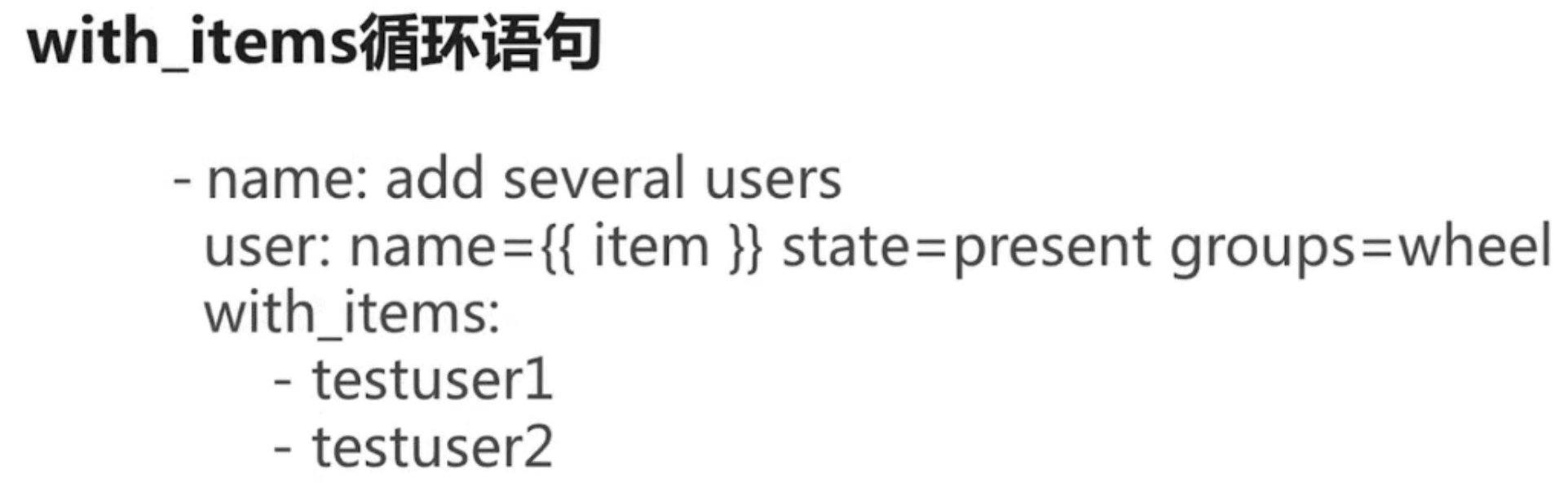
with-items循环语句
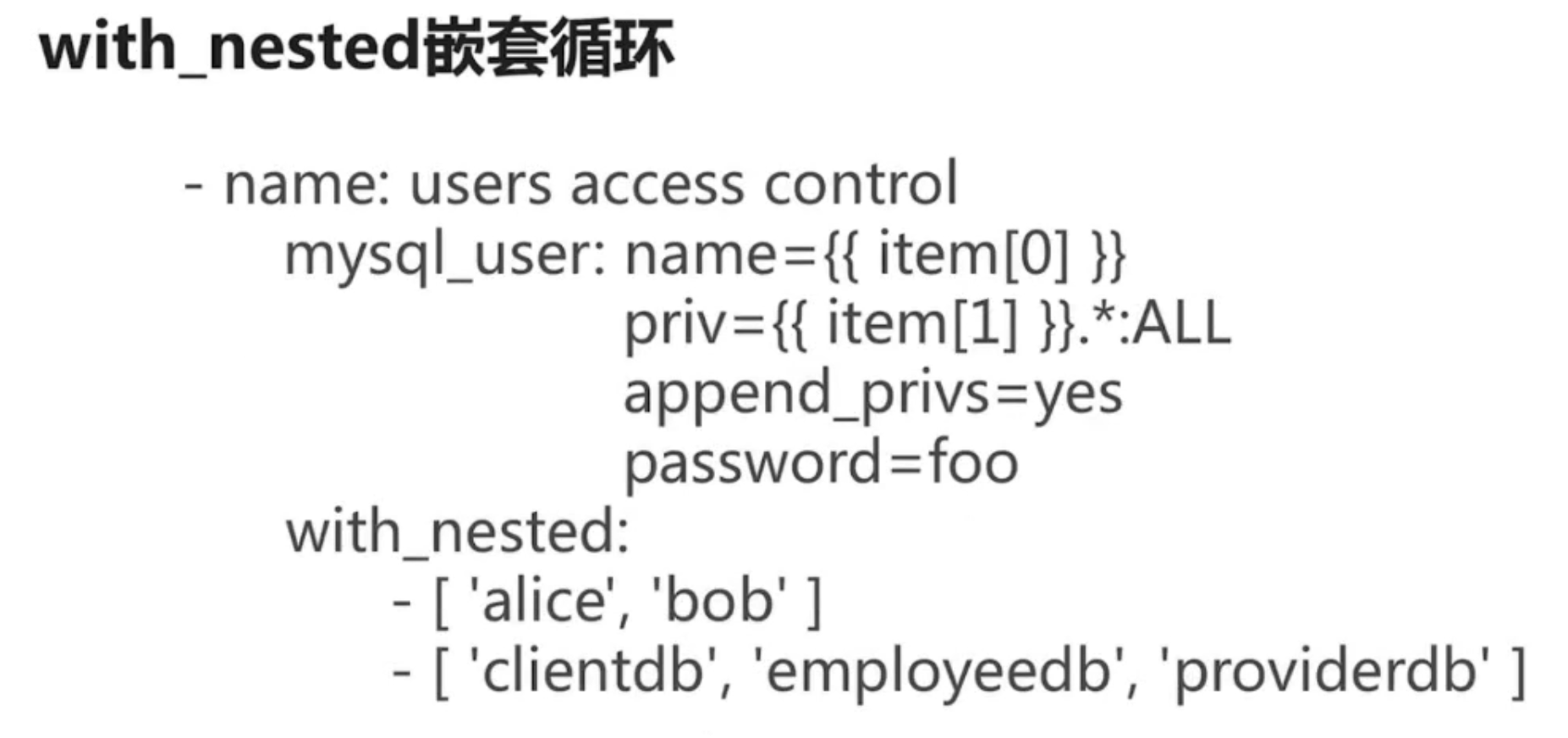
with_nested嵌套语句
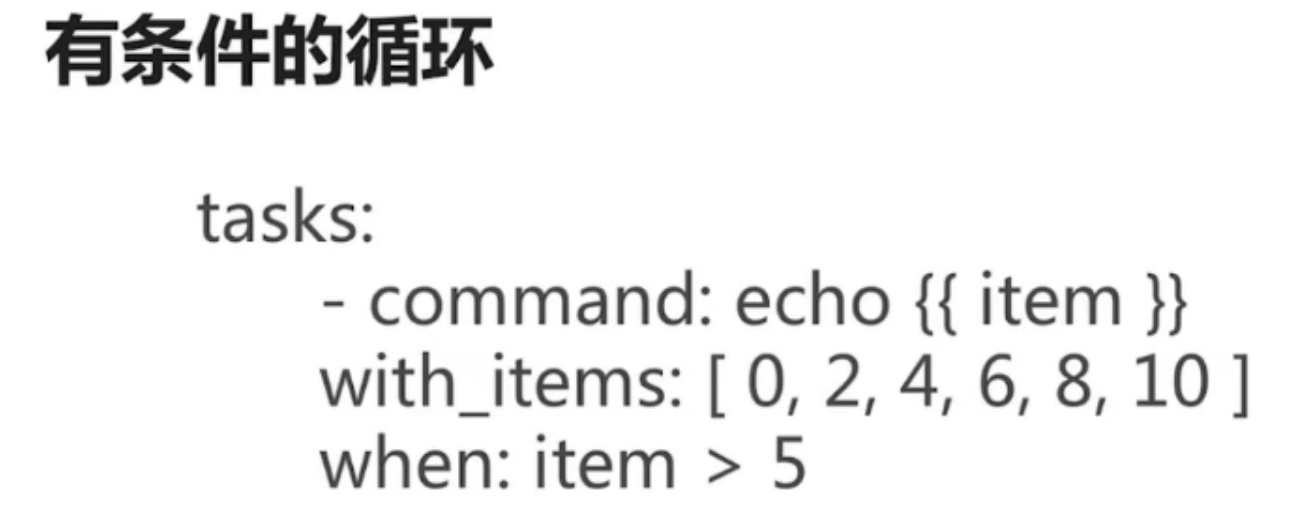
有条件的循环
Ansible-Zabbix安装
- 需求分析
- zabbix server安装
- Master和Client,Centos和Ubuntu各一个(保证最小集群)
- Zabbix进程正常启动
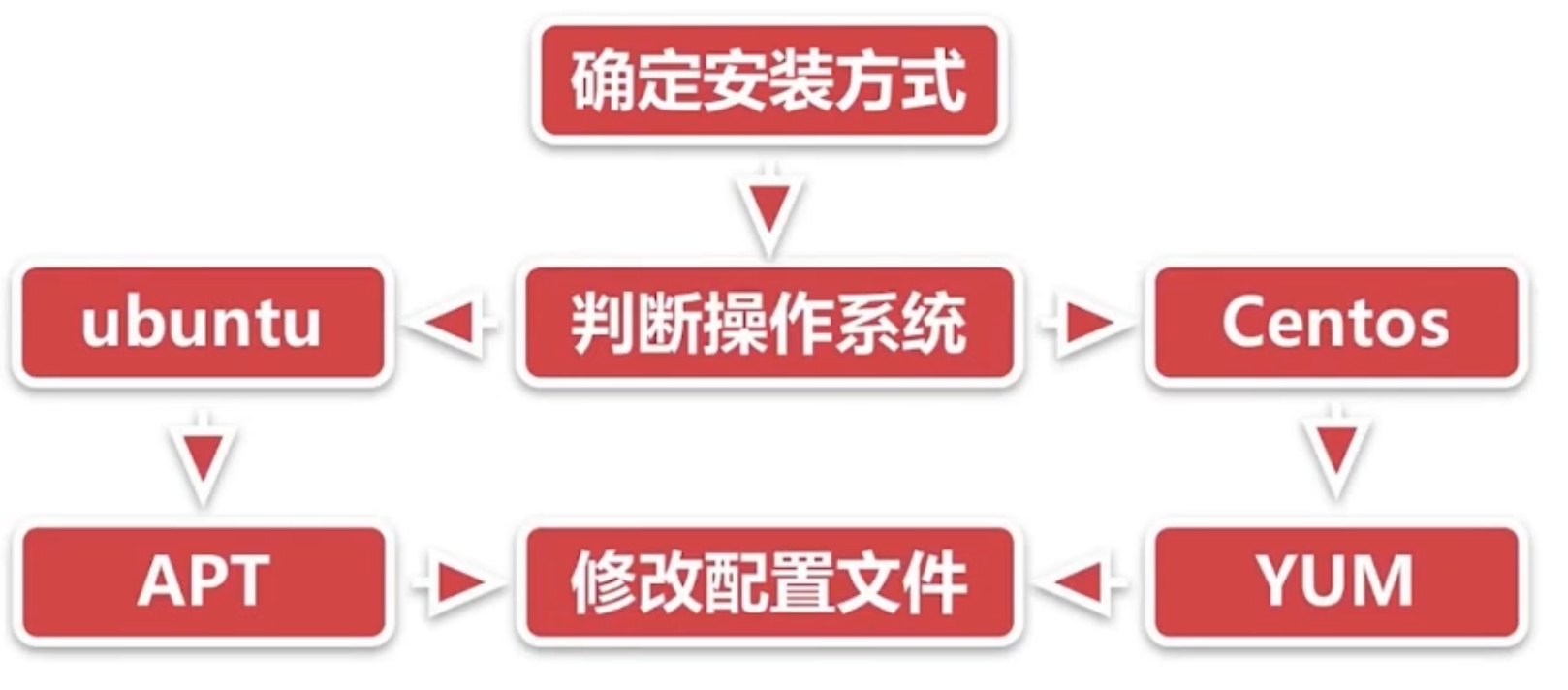
- 流程分析
- 确认安装方式
Shell版本
-
 1
 2
 3
 4
 5
 6
 7
 8
 9
10
11
12
|
rpm -ivh http://repo.zabbix.com/zabbix/3.4/rhel/7/x86_64/zabix-release-3.4-2.el7.noarch.rpm

yum -y install zabbix-server-mysql
yum -y install zabbix-proxy-mysql
yum -y install zabbix-web-mysql
yum -y install mariadb-server
systemctl start mariadb
mysql -uroot -e "create database zabbix"
sed 's/DBUser=zabbix/DBUser=root/g' -i /etc/zabbix/zabbix_server.conf
zcat /usr/share/doc/zabbix-server-mysql-3.4.7/create.sql.gz | mysql -uroot zabbix
setenforce 0
systemctl start zabbix-server
|
-
结果验证
scp centos7_install_zabbix.sh root@192.168.1.39:~
ssh root@192.168.1.39 “bash centos7_install_zabbix.sh”
Shell脚本要写很多判断看是否与运行正常 编写复杂 操作繁琐 跨平台问题
Playbook版本
  1
  2
  3
  4
  5
  6
  7
  8
  9
 10
 11
 12
 13
 14
 15
 16
 17
 18
 19
 20
 21
 22
 23
 24
 25
 26
 27
 28
 29
 30
 31
 32
 33
 34
 35
 36
 37
 38
 39
 40
 41
 42
 43
 44
 45
 46
 47
 48
 49
 50
 51
 52
 53
 54
 55
 56
 57
 58
 59
 60
 61
 62
 63
 64
 65
 66
 67
 68
 69
 70
 71
 72
 73
 74
 75
 76
 77
 78
 79
 80
 81
 82
 83
 84
 85
 86
 87
 88
 89
 90
 91
 92
 93
 94
 95
 96
 97
 98
 99
100
101
102
103
104
105
106
107
108
109
110
111
112
113
114
115
116
117
118
119
120
121
122
123
124
125
126
127
128
129
130
131
132
133
|
vim /etc/ansible/hosts
centos ansible_ssh_port=22 ansible_ssh_host=192,168.1.39 ansible_ssh_user=root
ubuntu ansible_ssh_port=22 ansible_ssh_host=13.94.42.159 ansible_ssh_user=simon
[test]#分组
centos
ubuntu
vim test.yml
hosts:test
become:true #使用root权限
tasks:
name: install zabbix rpm
yum:
name:http://repo.zabbix.com/zabbix/3.4/rhel/7/x86_64/zabbix-re lease-3.4-2.el7.noarch.rpm
state: installed
when: ansible_distribution == 'Centos'
name: download zabbix deb
get_url:
url:http://repo.zabbix.com/zabbix/3.4/ubuntu/pool/main/z/zabbi x-release/zabbix-release_3.4-1+xenial_all.deb
dest:/tmp/zabbix.deb
when: ansible_distribution == 'Ubuntu'
name: install zabbix deb
apt:
name:/tmp/zabbix.deb
state: installed
when: ansible_distribution == 'Ubuntu'
name: install zabbix deb
apt:
deb:/tmp/zabbix.deb #从本地装
when: ansible_distribution == 'Ubuntu'
name: install zabbix server
yum:
name:"{{ item }}"
state: installed
with_items:
-zabbix-server-mysql
-zabbix-proxy-mysql
-zabbix-web-mysql
when: ansible_distribution == 'Centos'
name: install zabbix agent
apt:
name: zabbix-agent
state: installed
when: ansible_distribution == 'Ubuntu'
name: config zabbix server
replace:
path:/etc/zabbix/zabbix_server.conf
regexp: DBUser=zabbix
replace: DBUser=root
when: ansible_distribution == 'Centos'
name: import db format
shell: zcat /usr/share/doc/zabbix-server-mysql-3.4.7/create.sql.g | mysql -uroot zabbix
when: ansible_distribution == 'Centos'
name:disable selinux
selinux:
state: disabled
when: ansible_distribution == 'Centos'
name: start zabbix server
systemd:
name:zabbix-server
state: started
when: ansible_distribution == 'Centos'
name: start zabbix agent
systemd:
name:zabbix-agent
state: started
when: ansible_distribution == 'Ubuntu'
ansible-playbook test.yml
|